

Key takeaways
- Armrests: Four-way arms should let you keep shoulders relaxed. Set height so forearms are parallel to the desk.
- Desk height: A chair cannot fix a desk that is too high. If you need to shrug, raise the chair and use a footrest.
- Monitor position: The top of the screen should sit roughly at eye level, according to common ergonomic guidance.
- Footrest: Helpful for shorter players whose feet no longer touch the floor.
- Controller play: Arms that pivot inward help when holding a controller.
For long gaming sessions, the Secretlab Titan Evo is the chair most roundups name for the best balance of adjustability and cost, the Herman Miller x Logitech G Embody Gaming is the usual choice when back support matters most and the budget is open, and mesh options such as the Razer Fujin Pro or Autonomous ErgoChair suit players who run warm. Which one fits depends on your height, how you sit and how long you stay seated. This guide explains what ergonomic features actually do, compares current models using maker statements and independent findings, and lists the trade-offs.
Our top picks


As an Amazon Associate we earn from qualifying purchases at no extra cost to you.
Ergonomic Gaming Chairs at a Glance
| Chair | Best for | Key reported or stated traits | Limits |
|---|---|---|---|
| Secretlab Titan Evo | Most players wanting an adjustable all-rounder | PC Gamer calls it extremely comfortable even over very long periods; reviewers list a four-way lumbar system, cold-cure foam, three sizes and a 5-year warranty | Foam retains heat; racing-style shaping may not suit everyone |
| Herman Miller x Logitech G Embody Gaming | Maximum back support | Reviewers cite top ergonomic scores and a 12-year warranty | Premium tier |
| Herman Miller x Logitech G Vantum | Players wanting office-grade ergonomics with forward-leaning support | Described by two outlets as newer, with strong durability and weight capacity noted by one | Thin coverage so far |
| Razer Iskur V2 | Gamers who prize lumbar adjustment | Techwench calls it best for adjustable lumbar; scored just under the Titan Evo in one ranking | Mid to upper tier; bolsters can feel narrow |
| Razer Fujin Pro | Warm rooms and mesh fans | Listed as a premium mesh chair in one roundup | Limited coverage; premium tier |
| Autonomous ErgoChair | Mesh seating at a lower tier | Listed with a 5-year warranty in one roundup | Little independent coverage |
| Steelcase Series 2 | Task-chair comfort with gaming on the side | The maker lists a 400 lb capacity, a 12-year warranty and a back that flexes in two dimensions | Not styled as a gaming chair |
What Makes a Chair Ergonomic for Long Sessions
An ergonomic chair is one that lets your body keep a neutral, supported posture while still allowing movement. The features that matter are lumbar support that you can tune, a seat that supports thighs without pressing behind the knees, armrests that hold your forearms near desk height and a recline mechanism you can lock where you want it. Features that look dramatic but add little include an extreme reclining angle, a head pillow that pushes the neck forward and oversized side bolsters that restrict movement.
No chair removes the need for breaks. Standing, stretching and walking every so often is standard advice from occupational health sources, and anyone with persistent pain, numbness or tingling should see a doctor or physiotherapist rather than expect a chair to solve it.
Lumbar Support: Fixed, Pillow or Adjustable
Many racing-style chairs ship with a strap-on lumbar pillow, which is simple but moves around. Better designs build the lumbar support into the back and allow adjustment. Reviewers describe the Titan Evo’s lumbar as four-way adjustable, and the Razer Iskur V2 is noted for adjustable lumbar. Task chairs like the Steelcase Series 2 offer height-adjustable lumbar on certain versions, according to the maker. One reviewer criticized a different task chair’s fixed lumbar curve as too pronounced for many body types, which shows why adjustability matters.
Foam Versus Mesh
Foam feels cushioned and holds the body with a soft contour, but it retains heat, which can bother players in warm rooms. Mesh breathes and holds its shape, though some people find it firmer. Search summaries of SeatedLab’s work note that foam chairs run warmer than the Aeron-style suspension. If your room runs hot, favor mesh, such as the Razer Fujin Pro or the Autonomous ErgoChair. If you prefer a plush feel and sit in a cooler room, foam is fine.
Sizing: The Most Overlooked Factor
Many chair complaints come from size mismatch rather than poor build. Reviewers report that the Titan Evo comes in three sizes covering roughly 4 ft 11 in to 6 ft 9 in and up to 395 lb. A seat that is too deep for a shorter player presses on the back of the knees, and a back that is too short leaves taller players unsupported at the shoulders. Compare the maker’s size chart with your height and weight and, if you are between sizes, pay attention to seat depth.
Budget Tier
Under the premium tier, budget gaming chairs often rely on thin foam and a detachable lumbar pillow. They can work for shorter sessions. For marathon sessions, spending more on a chair with real adjustability and a longer warranty usually pays off over time. Look at the warranty length, replacement parts availability and the stated weight capacity.
Mid-Range Tier
This is where the Titan Evo and Razer Iskur V2 live. They are the two most frequently compared. One ranking scored the Titan Evo 90 and the Iskur V2 87, so the gap is small. Choose by fit: try to match the bolster width and seat depth to your body. Autonomous’s ErgoChair appears here as a mesh alternative with a five-year warranty according to one roundup, though independent coverage is limited.
A Steelcase Series 2 can also land in this bracket. TechRadar calls it the best balance of price and performance among the chairs it covers, and the maker’s page describes adaptive bolstering in the seat foam and four-dimensional arms. It lacks the gaming look but suits those who value the long warranty.
Premium Tier
The Embody Gaming is the headline premium choice. Techwench calls it the best possible back support and lists a 12-year warranty. Another ranking placed it first for ergonomic support while ranking it second overall, which hints that ergonomic merit and value are not the same thing. The Razer Fujin Pro and the Vantum sit near this tier, though coverage of both is thinner, so treat claims about them cautiously and compare multiple sources.
Armrests, Footrests and Desk Setup
- Armrests: Four-way arms should let you keep shoulders relaxed. Set height so forearms are parallel to the desk.
- Desk height: A chair cannot fix a desk that is too high. If you need to shrug, raise the chair and use a footrest.
- Monitor position: The top of the screen should sit roughly at eye level, according to common ergonomic guidance.
- Footrest: Helpful for shorter players whose feet no longer touch the floor.
- Controller play: Arms that pivot inward help when holding a controller.
Pick X If… Decision Table
| If you… | Pick | Why |
|---|---|---|
| Want the best all-round value | Secretlab Titan Evo | Widely named top gaming chair with adjustable lumbar |
| Prioritize back support above all | Embody Gaming | Highest ergonomic scores in reviewer coverage |
| Run warm | Razer Fujin Pro or Autonomous ErgoChair | Mesh construction |
| Want adjustable lumbar in a gaming look | Razer Iskur V2 | Named for lumbar adjustability |
| Want a long warranty and plain styling | Steelcase Series 2 | 12-year warranty listed by the maker |
| Are very tall or heavy | Titan Evo in the largest size, or a chair with a high stated capacity | Reported coverage up to 395 lb; Series 2 lists 400 lb |
Setting Up a New Chair
Start with seat height so your feet rest flat and thighs are level, then set seat depth, then lumbar so the support meets the curve of your lower back. Adjust armrests last, and set recline tension so the back follows you without feeling loose. Revisit the settings after a week, because first impressions often shift once the body adapts.
Alternatives
- Herman Miller Aeron or Steelcase Leap: Office chairs built for all-day sitting; TechRadar suggests buying them refurbished.
- Standing desk with an active stool: Not a replacement for a chair, but it can break up a long session.
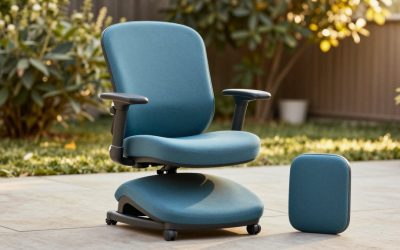
- Kneeling or saddle seats: Suit some people for short periods but are not for everyone; check with a clinician if you have joint concerns.
Care and Maintenance
Keep the chair clean to extend its life. Vacuum crumbs from seams, wipe synthetic surfaces with a mild cleaner and avoid harsh solvents. Tighten fasteners every few months and follow the manual for the gas lift. If the chair squeaks, lubricate only where the maker advises.
Frequently Asked Questions
What is the most comfortable gaming chair for eight-hour sessions?
PC Gamer calls the Titan Evo extremely comfortable even over very long periods, while other reviewers rank the Embody Gaming first for ergonomic support. Comfort depends on fit, so match the size to your body. Regular breaks matter regardless of chair.
Is mesh better than foam for gaming?
Mesh breathes better and suits warm rooms, while foam feels softer. Neither is universally better. Pick the one that matches your room temperature and preference.
Do I need a headrest?
It can help when reclining, but a pillow that pushes your head forward can strain the neck. Position it so it supports the back of the head without forcing it forward.
How long should a gaming chair last?
Warranty length gives a hint: reviewers cite 5 years on the Titan Evo and 12 on Herman Miller options, and Steelcase lists 12 years on the Series 2. Real lifespan depends on use, weight and care.
Can a chair fix back pain?
It can improve comfort but it is not a treatment. If you have ongoing pain, numbness or tingling, see a doctor or physiotherapist.
How do I know which size to buy?
Use the maker’s height and weight chart, then check seat depth. If you fall between sizes, favor the one that leaves a small gap behind the knees when you sit all the way back.






Write Your Review
No reviews yet. Be the first to share your experience!