

Key takeaways
- Compare five high-back ergonomic task chairs with adjustable lumbar support, seat depth and armrests, and find the one that fits your desk and workday.
A high-back task chair decides how your neck, shoulders and lower back feel at the end of a long workday. The real decision is not the brand name on the box. It is whether the backrest rises high enough to support your shoulder blades, whether the lumbar pad lands on the curve of your lower back, and whether the seat depth lets your feet rest flat while your knees stay comfortable. Get those three measurements wrong and even a well-built chair will leave you shifting in your seat by mid-afternoon.
This guide is for remote workers who sit for eight hours or more, taller sitters who need a backrest that actually reaches their shoulders, and anyone whose current chair leaves their neck stiff by lunchtime. The five chairs below were chosen from Amazon titles and listing specifications, with a focus on adjustable lumbar support, seat depth, armrests and tilt, so you can match the chair to your body and your desk rather than guessing.
Quick Picks
As an Amazon Associate we earn from qualifying purchases.
| Product | Best for | Key spec from title |
|---|---|---|
| Herman Miller Aeron Ergonomic Chair, Size A, Graphite | Small to medium sitters who want a proven mesh task chair | 8Z Pellicle suspension with PostureFit SL support |
| Steelcase Series 1 Office Chair, Graphite | Home offices that need contract-grade adjustability at a mid-range level | LiveBack flexor system with 4D armrests |
| Branch Ergonomic Chair Pro, Shore | Sitters who want many fine adjustments in one chair | 14 points of adjustment with 5D armrests |
| HON Ignition 2.0 Ergonomic Office Chair with Headrest, Black | People who want head and neck support during long sessions | Headrest with SynchroTilt recline and adjustable lumbar |
| Steelcase Leap Office Chair, Black Frame and Onyx | Sitters who change posture often through the day | LiveBack flexible back with 4D adjustable arms |
How to Choose
Backrest height and lumbar placement
A high-back chair earns its name by supporting more than your lower back. Measure from your seat to the top of your shoulder blades and compare that number with the backrest height on the listing, because a backrest that ends at your mid-back will not help your shoulders. Lumbar support matters just as much as height: a pad that slides up and down, or a sacral support that flexes with your spine, adapts to different torso lengths in a way a fixed curve cannot. If two people of different heights share one chair, adjustable lumbar placement is the feature that makes sharing workable instead of frustrating.
Seat depth and seat height
Seat depth decides whether the front edge of the seat presses into the back of your knees. If the seat is too deep, you will slide forward and lose lumbar contact; if it is too shallow, your thighs lose support and your feet take the load. Look for a sliding seat pan with at least a couple of inches of travel, and check the seat height range against your desk height so your elbows can rest near a right angle. Taller sitters should confirm the maximum seat height, while shorter sitters should check the minimum, since a chair that cannot go low enough forces you onto a footrest you did not plan to buy.
Armrests and tilt control
Armrests should support your forearms without pushing your shoulders upward. Four-way armrests that move in height, width, depth and pivot let you bring support close to your body, which matters at a narrow desk or beside a keyboard tray. Tilt control is the other half of the equation: a chair with a tension control and a tilt lock lets you lean back for calls and lock upright for focused typing. Forward tilt is a useful extra for people who lean toward a monitor, because it keeps the seat angle open instead of folding your hips closed while you work.
Build quality and where cheaper chairs cut corners
A task chair fails first at its mechanism, its casters and its mesh. Cheaper chairs often cut the seat-depth slide, use a single fixed lumbar curve, or fit armrests that only move up and down. Check the maximum weight recommendation on the listing and compare it with your body weight plus anything you lean on the chair, since a chair rated close to your weight will wear faster. Look at the frame and base material, the caster type for your floor, and the warranty length, because a long warranty usually signals a mechanism the maker expects to last through years of daily use.
The 5 Best Options
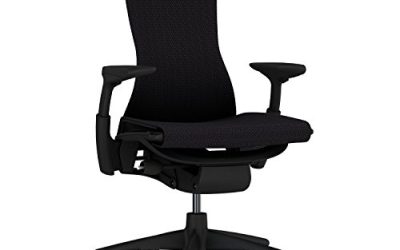
Herman Miller Aeron Ergonomic Chair, Size A, Graphite

The Aeron is the reference point most high-back task chairs are measured against, and the remastered version keeps the formula that made it famous: a breathable mesh seat and back that suspend you instead of pressing foam against your body. Size A is the smallest of the three Aeron sizes, so it suits shorter and slimmer sitters who find larger task chairs too wide or too deep. The PostureFit SL support cradles the sacrum and lower back, while the fully adjustable arms move in height, depth and pivot to meet your elbows where they naturally rest.
Specs
- 8Z Pellicle suspension seat and back in eight zones of varying tension
- PostureFit SL sacral and lumbar support with two individual pads that flex independently
- Fully adjustable arms: height from 6.8 to 10.8 inches above the seat, slide backward and forward over 2.5 inches, pivot 15 degrees outward and 17.5 degrees inward
- Size A in Graphite, dimensions 25.75 x 25.75 x 38.5 inches, item weight 40 pounds
- Recycled material construction with a 12-year warranty
Best for: Shorter or slimmer sitters who want a proven mesh high-back task chair with precise arm adjustment.
Watch out for: Size A is the smallest Aeron, so check the size chart before ordering and confirm whether Size B fits you better if you are average height or taller.
Steelcase Series 1 Office Chair, Graphite

The Series 1 brings Steelcase contract-chair engineering into a home-office chair, and its strongest idea is the LiveBack flexor system, which lets the backrest flex as you shift so the lumbar support stays in contact while you move. The weight-activated recline tensions itself to your body weight, which means fewer knobs to learn and a recline that feels natural the first time you lean back. With a tall mesh back, adjustable lumbar and 4D arms, it covers the adjustments that matter most without the complexity of a flagship chair.
Specs
- LiveBack flexor system that adapts the backrest to your movements
- 3D Microknit or Air back options with a backrest height of about 21.5 inches
- Weight-activated recline with adjustable lumbar support
- 4D armrests adjustable in height, width, depth and pivot
- Seat height from 16.5 to 21.5 inches, overall height from 36.5 to 41.25 inches, maximum weight recommendation 400 pounds
- Hard-floor or carpet casters depending on configuration
Best for: Home offices that want Steelcase build quality and a back that flexes with the sitter through the day.
Watch out for: Back type, arms and colour vary across listings, so confirm the exact configuration on the listing you buy from before ordering.
Branch Ergonomic Chair Pro, Shore

The Branch Ergonomic Chair Pro is built around adjustability, with fourteen points of adjustment that let you fine-tune the seat, back, arms and tilt to your body instead of adapting your body to the chair. The padded two-way lumbar cushion moves vertically to meet your lower back, and the 5D armrests move in height, width, depth, pivot and pad position, which is more arm travel than most chairs in this group. Forward tilt and a smooth recline round out a chair aimed at people who sit all day and want every control within reach.
Specs
- 14 points of adjustment across seat, back, arms and tilt
- 5D armrests adjustable in height, width, depth, pivot and pad position
- Padded two-way lumbar cushion that adjusts vertically
- Forward tilt and smooth recline with breathable mesh back
- Maximum weight recommendation 275 pounds, item weight 42 pounds, dimensions 3.6 ft x 2.25 ft x 3 ft
- Model number 11-16-00-13-V2, first available August 14, 2025
Best for: Sitters who want the most adjustment points in one chair and like to fine-tune every control.
Watch out for: The 275-pound maximum weight recommendation is lower than several chairs here, so heavier sitters should check it against their weight before ordering.
HON Ignition 2.0 Ergonomic Office Chair with Headrest, Black

The Ignition 2.0 with a headrest is the pick for people whose neck gets tired before their back does. The headrest adds support when you lean back between tasks, while the SynchroTilt recline moves the seat and back together so your posture stays open as you recline. Height- and width-adjustable arms, adjustable lumbar support and a sliding seat depth cover the core ergonomic adjustments, and the mesh back keeps air moving during long sessions. At 44.5 inches tall overall, it is one of the tallest chairs in this guide.
Specs
- Headrest for head and neck support during recline
- SynchroTilt recline that moves seat and back together
- Height- and width-adjustable arms with adjustable lumbar support
- Mesh back and seat with a seat back interior height of 29 inches
- Overall dimensions 28.5 x 27 x 44.5 inches, seat depth 19 inches, seat height 17.25 inches
- Maximum weight recommendation 300 pounds, item weight 49 pounds
Best for: Long-session sitters who want a headrest and a tall backrest with SynchroTilt recline.
Watch out for: HON sells many Ignition 2.0 variants under near-identical names, so confirm the listing shows the headrest version and the exact model before ordering.
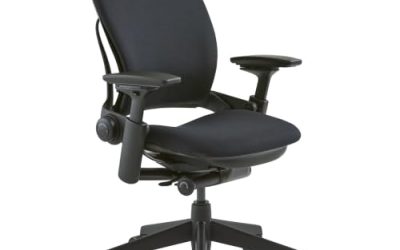
Steelcase Leap Office Chair, Black Frame and Onyx

The Leap is Steelcase’s most adjustable task chair, and its LiveBack design is the reason it has stayed in offices for years: the backrest changes shape as you move, so the lumbar support follows your spine instead of staying fixed while you lean. Seven points of adjustability cover the seat, back, arms and lower-back firmness, which makes the Leap a good fit for households where more than one person uses the same chair. The upholstered back feels warmer and more solid than mesh, which suits sitters who prefer a firm, structured seat.
Specs
- LiveBack flexible back that changes shape with your spine
- Adjustable lumbar support with lower-back firmness control
- 4D adjustable arms that move in height, width, depth and pivot
- Adjustable seat depth and seat height with natural glide recline
- Black frame with Onyx fabric, overall height from 38.5 to 43.5 inches
- Seven points of adjustability across seat, back and arms
Best for: Sitters who change posture often and want a structured, upholstered high-back chair with deep adjustability.
Watch out for: The upholstered back holds more warmth than mesh, so it may feel warm in a hot room; confirm the fabric colour and base finish on the listing.
Which One Fits Your Situation
You sit at a desk for eight hours or more
Pick the Branch Ergonomic Chair Pro or the HON Ignition 2.0 with Headrest. The Branch gives you fourteen adjustment points to dial in over the first week, while the HON adds a headrest for the moments you lean back between tasks. Both keep lumbar support adjustable, which matters most when a chair has to stay comfortable from the first call to the last email of the day.
You are tall and need a backrest that reaches your shoulders
Pick the HON Ignition 2.0 with Headrest or the Steelcase Leap. The HON stands 44.5 inches tall overall with a 29-inch seat back interior height, and the Leap reaches up to 43.5 inches overall, so both give taller sitters shoulder support that shorter chairs cannot. Check the seat height range as well, since a tall backrest alone does not fix a seat that sits too low.
More than one person shares the same chair
Pick the Steelcase Series 1 or the Steelcase Leap. The Series 1 weight-activated recline adapts itself to each sitter without re-tuning, while the Leap has seven adjustment points that are easy to reset between users. Adjustable lumbar placement is the key feature here, because two people rarely share the same torso length.
You want premium build without the flagship complexity
Pick the Herman Miller Aeron in Size A if it fits your frame, or the Steelcase Series 1 for a simpler daily routine. The Aeron rewards sitters who value mesh suspension and precise arm adjustment, while the Series 1 trades some of that precision for a weight-activated recline that needs almost no learning. Either chair suits a home office that needs one chair to simply work, day after day.
Common Mistakes
- Buying by looks alone and never checking backrest height against your shoulder height.
- Choosing a seat depth that presses into the back of your knees, then sliding forward and losing lumbar contact.
- Ignoring the maximum weight recommendation on the listing, which shortens the life of the mechanism and the gas lift.
- Picking fixed armrests that sit too high or too wide, pushing your shoulders up all day.
- Ordering the wrong configuration of a chair family, such as a mid-back version or a colour variant with different arms, without reading the exact listing.
Frequently Asked Questions
How tall should a high-back task chair be?
A high-back task chair should reach at least to your shoulder blades when you sit upright, and taller sitters should look for an overall height above 42 inches or a headrest for extra reach. Check the backrest height on the listing and compare it with your seated shoulder height. A chair that ends at your mid-back is a mid-back chair.
Is mesh or upholstery better for a high-back task chair?
Mesh breathes better and stays cool during long sessions, which suits warm rooms and sitters who run hot. Upholstery feels warmer and more solid, and it gives a firmer sense of support for sitters who prefer structure over airflow. Choose mesh if you sit for long stretches in a warm room and upholstery if you want a firmer, warmer seat.
Do I need a headrest on an ergonomic task chair?
A headrest helps if you lean back often during calls or between tasks, because it supports your neck instead of leaving it hanging. It matters less if you sit upright and type all day, since your head stays balanced over your spine in that posture. If your neck gets stiff by afternoon, a headrest is worth having.
How do I set up a new high-back task chair?
Begin with seat height so your feet rest flat, then slide the seat depth until you have a gap behind your knees. Move the lumbar support to the curve of your lower back and set the armrests so your forearms rest without lifting your shoulders. Set the tilt tension so leaning back feels supported, and re-check after a week.
More from Amazon
Programs that pair well with the guide above. Offers and eligibility are set by Amazon and may change.
Set up recurring deliveries of everyday items on eligible products. Terms and savings are set by Amazon.
Explore Subscribe & SaveFree shipping on eligible items, Prime Video and more. Eligible new members can start with a free trial.
Start a Prime free trialA Prime membership for ages 18-24 with a trial period. Eligibility is set by Amazon.
See Prime for Young AdultsAudiobooks and podcasts to listen to on the go. Eligible new members can start with a free trial.
Try Audible freeAs an Amazon Associate we earn from qualifying purchases.
Write Your Review
No reviews yet. Be the first to share your experience!